ion Solutions

A4 black & white multifunction printer

Ricoh M 320F

Straightforward A4 mono multifunction for essential tasks

The M 320F packages 32 ppm mono copy, print, scan and fax into a compact A4 device. A colour touchscreen, high-yield cartridge, locked print and optional Wi-Fi make it a straightforward fit for essential small-office workflows.
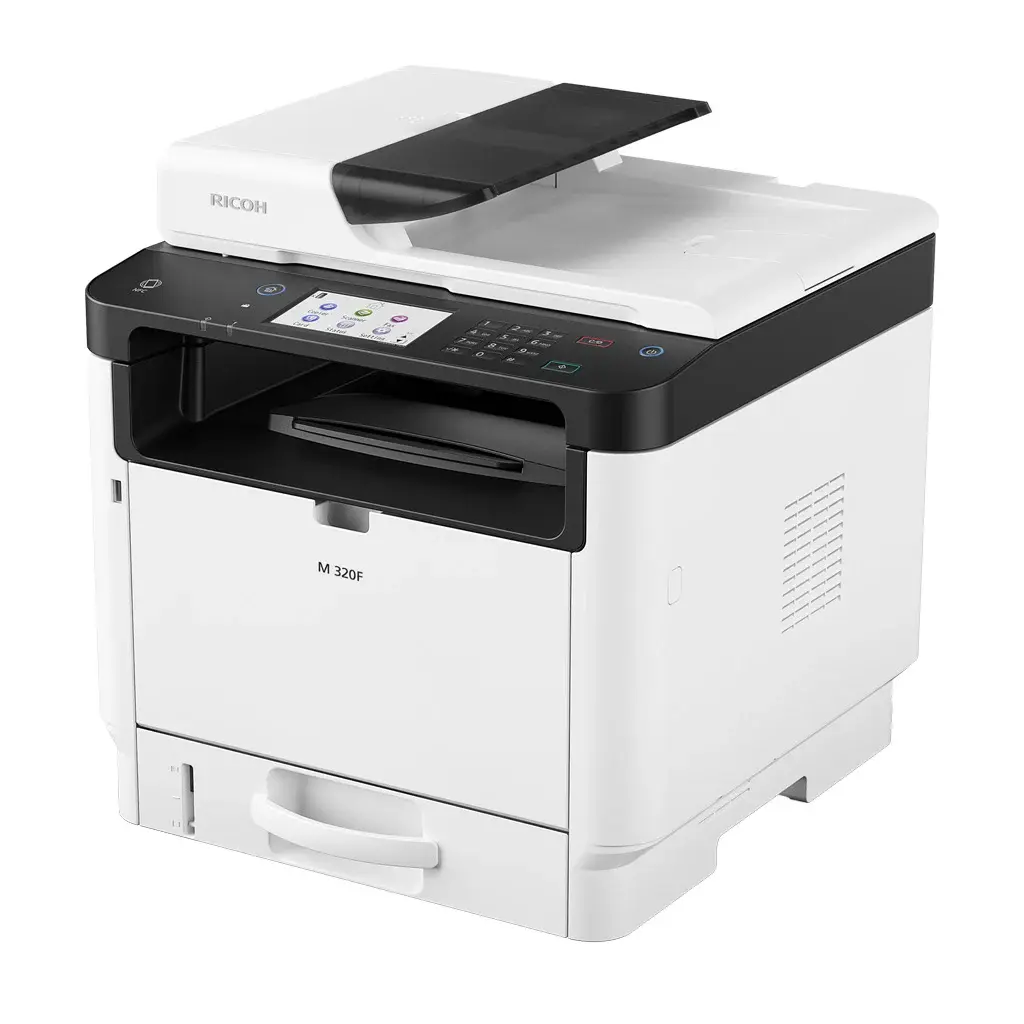
  • Copy, print, scan, fax
  • Prints up to 32 ppm
  • Optional dual band Wi-Fi
  • High-yield starter cartridge
download brochure
Ricoh M 320F A4 black & white multifunction printer

output

Black & white

paper size

A4

device type

Multifunction

print speed

32 ppm
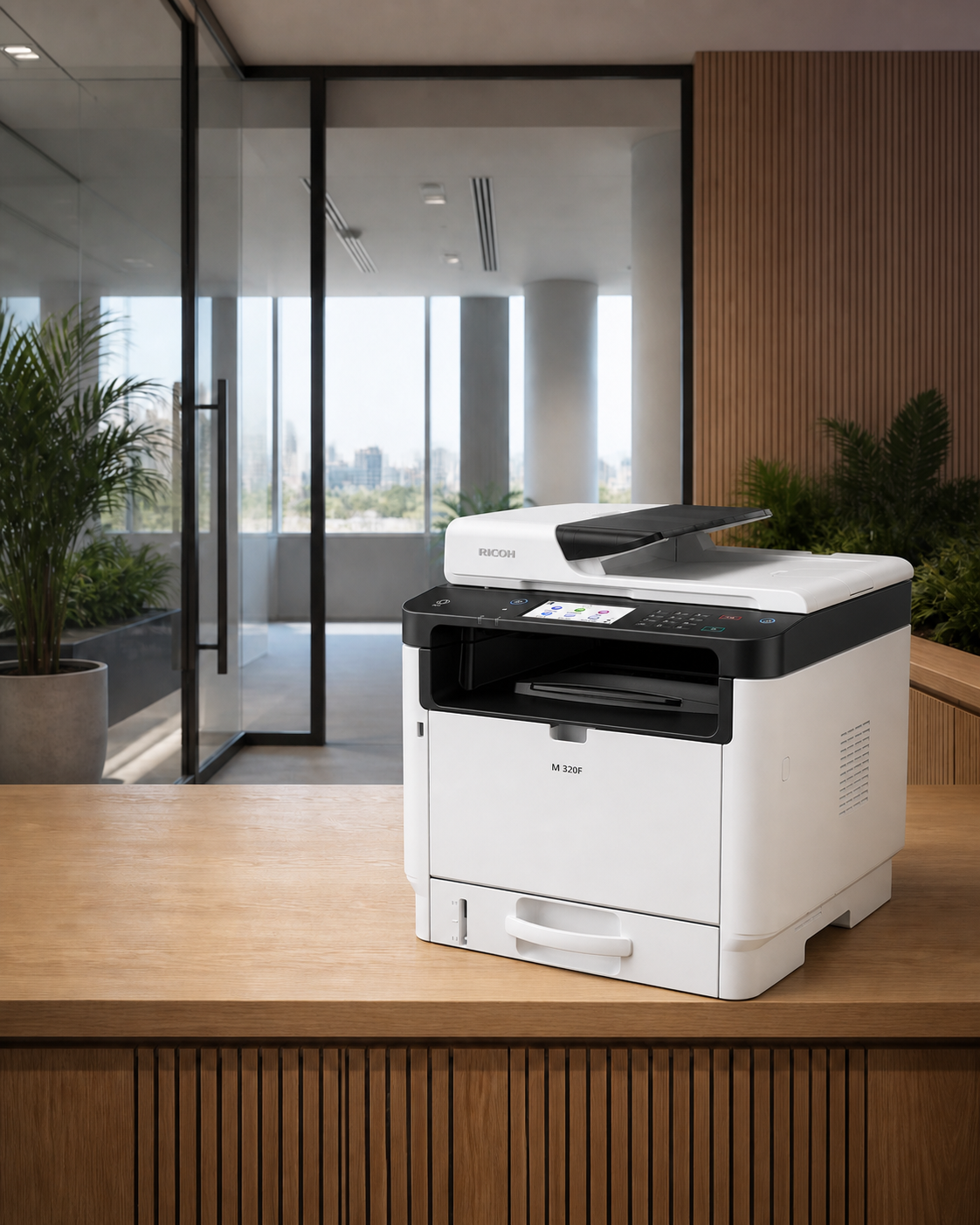
Ricoh M 320F shown in a modern office setting

best suited to

essential four-in-one workflows in a small footprint

01

Easy operation

This compact fax-enabled 4-in-1 multi-function printer is easy to operate with its large colour touchscreen panel as well as smart device print capabilities via Mopria®, AirPrint® and RICOH Smart Device Connector.

02

Keep workflows moving

The high-yield All-in-One print cartridge can produce up to 7,000 pages.

03

Flexible, high-resolution media output

Get attention with compelling text and images at up to 1,200 x 1,200 dpi on a wide range of media.

04

Expandable connectivity and capacity

Take advantage of the optional WiFi capability and 250-sheet optional second paper tray.

the ion difference

the machine is only one part of the solution

We help match the device to your actual print volumes, workflows and security needs, then support it with proactive service, automatic toner fulfilment and one local point of contact.

product guide

review the detailed brochure

Review configuration options and feature details relevant to the Ricoh M 320F.

download brochure

technical detail

specifications

The full specification set is included on the page so your team can compare devices without searching through separate documents.

Configuration+
Functions
Copy, print, scan, fax
Colour
No
Memory - standard
32 MB ROM 256 MB RAM
Operation panel
4.3" touch panel
Physical dimensions+
Physical dimensions (WxDxH)—mainframe
405 x 392 x 420 mm
Weight—mainframe
18 kg
Media handling+
Standard input capacity (sheets)
300
Maximum input capacity (sheets)
550
Standard output capacity (sheets)
50
Maximum output capacity (sheets)
50
Paper input configuration - standard
250-sheet paper tray, 50-sheet bypass tray, duplex unit, 35-sheet ARDF
Paper output configuration - standard
50-sheet face-down internal output tray
Supported media
Standard tray Thin paper, thick paper 1, thick paper 2, plain paper, recycled paper, colour paper, pre-printed paper, pre-punched paper, letterhead, bond paper, cardstock, labels Bypass tray Thin paper, thick paper 1, thick paper 2, plain paper, recycled paper, colour paper, pre-printed paper, pre-punched paper, letterhead, bond paper, cardstock, labels, envelopes Optional paper bank Thin paper, thick paper 1, plain paper, recycled paper, colour paper, pre-printed paper, pre-punched paper, letterhead
Maximum paper size
A4
Media weight (g/m2)
52–162
Connectivity+
Interfaces - standard
10Base-T/100Base-Tx (Ethernet) USB 2.0 Type B x 1—rear USB 2.0 Type A x 2—1x rear, 1x front NFC tag
Interfaces - optional
IEEE 802.11b/g/n/ac (Wireless LAN) + Wi-Fi Direct
Network protocols - standard
TCP/IP
Copy features+
Copy speed
A4 SEF, single document, multiple copies 32 cpm—platen glass, 600 dpi 14 cpm—platen glass, 1,200 dpi 6 cpm—ARDF
First copy time
13 seconds or less—platen glass 16 seconds or less—ARDF
Copy resolution
Scanning 600 x 600 dpi; default—platen glass 300 x 600 dpi—ARDF Copying Windows 600 x 600 dpi, 1,200 x 600 dpi, 1,200 x 1,200 dpi—half speed Macintosh 600 x 600 dpi Linux 600 x 600 dpi, 1,200 x 1,200 dpi—half speed
Zoom range
25%–400% in 1% steps—600 x 600 dpi via platen glass, 25%–400% in 1% steps—300 x 600 dpi via ARDF
Enlargement ratios
122%, 141%, 200%, 400%
Reduction ratios
93%, 82%, 71%, 50%
Duplex copy
Supported
ID card copy
Supported
Print features+
Print speed black and white
Simplex 32 ppm—600 x 600 dpi 14 ppm—1,200 x 1,200 dpi Duplex 13 ppm—600 x 600 dpi 7 ppm—1,200 x 1,200 dpi
First print time
7.1 seconds or less
Print resolution
1,200 x 1,200 dpi
Page description languages (PDLs)
PCL 5e, PCL 6, PostScript3 emulation
Printer drivers
PCL 5e, PCL 6, PostScript3 emulation
Duplex printing
Standard
Mobile printing
AirPrint, Mopria®, RICOH Smart Device Connector
Scan features+
Scan speed
Via platen glass Black and white 145 mm/second—300 x 300 dpi 36 mm/second—600 x 600 dpi Colour 48 mm/second—300 x 300 dpi 12 mm/second—600 x 600 dpi Via ARDF Black and white 64 mm/second, 13 ipm—600 x 300 dpi Colour 22 mm/second, 4.5 ipm—600 x 300 dpi
Scan methods
Scan to email, Scan to folder, Scan to FTP, Scan to USB, TWAIN scanning
Colour scanning
Supported
Scan resolution
Standard 1,200 x 1,200 dpi—platen glass 600 x 600 dpi—ARDF 19,200 x 19,200 dpi—TWAIN Maximum optical resolution is 1,200 dpi Default 600 x 600 dpi—platen glass 300 x 600 dpi—ARDF
Scan to email
Authentication SMTP authentication, POP3 before SMTP Scan resolution Platen glass 300 x 300 dpi (default), 600 x 600 dpi ARDF 300 x 300 dpi Scan to email file types Single-page TIFF, JPEG, PDF Multi-page TIFF, PDF
Scan to folder
Authentication SMTP authentication, POP before SMTP authentication Resolution 300 x 300 dpi Scan to folder file types Single-page TIFF, JPEG, PDF Multi-page TIFF, PDF
TWAIN scanning
Scan speed 12 ipm—black and white 9 ipm—colour Scan mode True colour, greyscale, black and white Scan resolution Platen glass 75–19,200 dpi Note: Maximum 19,200 dpi is selectable with software processing. ARDF 75–600 dpi
Fax features+
Fax types
PC Fax, LAN-Fax
Fax circuit
PSTN, PABX
Fax modem speed
33.6 Kbps–2,400 bps—with automatic shift down
Fax compression methods
MH, MR, MMR
Fax resolution
Standard 200 x 100 dpi—8 x 3.85 lines/mm Fine, Photo 200 x 200 dpi—8 x 7.7 lines/mm
G3 fax transmission speed
Approximately 3 seconds—MMR, ITU-T #1 chart
Fax memory backup
Maximum 50 jobs maximum, 100 pages with ITU#1 standard
Quick dials
8 (20 digits for name, 40 digits for numbers)
Security features+
Authentication
User code authentication available with Locked Print Wireless LAN security—WEP 64-bit, WEP 128-bit and AES, TKIP/AES, WPA Network user authentication Secure Print
Supported operating environments+
Windows
Windows 8.1, Windows 10, Windows Server 2012 R2, Windows Server 2016, Windows Server 2019
Macintosh
Mac OS 10.10–11
Software and solutions+
Standard
Web Image Monitor Smart Organizing Monitor
Optional
Streamline NX—device management functions only Device Manager NX @Remote—limited functions Printer Driver Packager NX
Mobile apps
RICOH Smart Device Connector
Environmental features+
Power source
220–240 V, 50/60 Hz, 4.3 Amps
Power consumption
1,025 W—maximum power 520 W—printing 65.7 W—Ready Mode 0.87 W or less—Energy Saver Mode (Sleep Mode)
Typical Electricity Consumption (TEC)
0.423 kWh
Warm-up time
30 seconds or less
Green labels
Hong Kong Energy Saving Label

Specifications are based on current Ricoh Australia product information and may change. Optional features can require additional hardware, software or configuration.

common questions

about theM 320F

Quick answers about the device, where it fits and how ion can support it.

Black & whiteA4Multifunction32 ppm
What type of device is the M 320F?+

The M 320F is an A4 black & white multifunction device that prints at up to 32 pages per minute. Its core functions are copy, print, scan, fax.

Who is the M 320F best suited to?+

Small and growing teams that need A4 printing, copying and scanning in one supported device, especially where straightforward A4 mono multifunction for essential tasks matters.

Can ion supply and support the M 320F?+

ion can assess your print volumes, workflows and security needs, configure the right M 320F solution, and support it through a managed print arrangement with local service and automatic toner fulfilment.

next step
check whether the M 320F fits your real print environment